Some Chemaxon applications include License Manager as part of their installation. You can access it through the "Help" menu in these products.
Example in MarvinSketch:

If this is your first time opening License Manager and you’re using MarvinSketch, it is installed automatically with the application, so you can open it directly as well:
You can find License Manager among your installed programs (for example, on Windows: Start menu → Programs → Chemaxon) or by searching directly for “License Manager” on your computer.
Also, if you open MarvinSketch directly without setting up your license key first, you can open the License Manager by clicking “Install licenses…” in the window that appears.
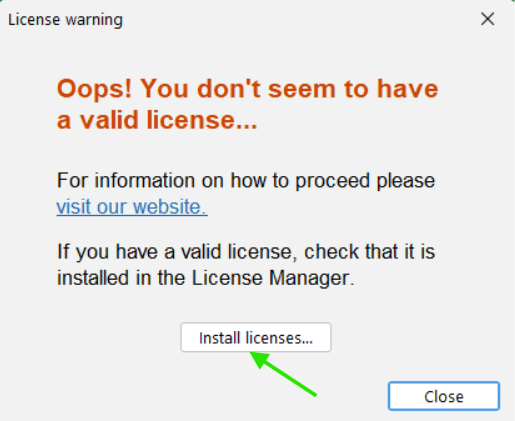
Then, if you go to the "License server configuration" section, you can set up your license key there:

If you’re using JChem for Office, you can open License Manager directly from Excel, for example:

For detailed instructions on installing your license, please refer to our documentation page.
If you need further assistance you may open a support ticket on our Support Portal or send an email to support@chemaxon.com.
Was this article helpful?
That’s Great!
Thank you for your feedback
Sorry! We couldn't be helpful
Thank you for your feedback
Feedback sent
We appreciate your effort and will try to fix the article